StoreIntel
AppsTop ChartsTrendingKeywordsMy Apps
Not affiliated with Apple Inc. App Store is a trademark of Apple Inc.Top chartsSupportTermsPrivacy

TapSheet: Budget App

AVIAN JONAS LEUNG · Finance · 8mo old

FreeSubscriptions
◆ ProTrack this app App Store

Performance · Worldwide

◆ Pro

Downloads & Revenue estimates

Monthly, by storefront, with daily history

Unlock →

Rating · WW

4.6★

505 ratings

Chart position

Rank history — US · Top Free

Apple's Top Free chart — free apps ranked by recent downloads.

Top FreeTop Grossing

Ratings count — US

193

ASO moves

Metadata timeline

Name, subtitle, icon, screenshot and in-app price changes we’ve seen — what this developer is testing.

  1. Aug 27, 2026Name
    Budget App - TapSheet → TapSheet: Budget App

Listing

About

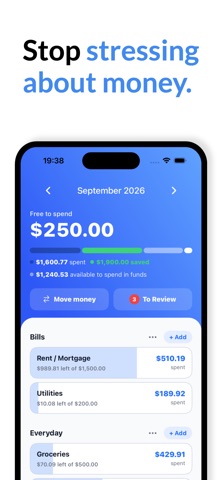
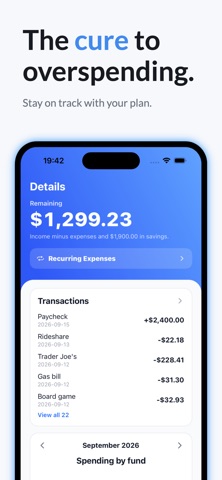
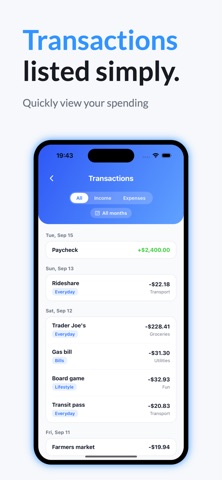
HOW TO USE TAPSHEET: 1) Answer questionnaire to build your savings plan 2) Input income 2) Input fixed expenses 3) View your remaining to spend TapSheet is the easiest budgeting method. Who even knows how much you spend a month on food & drinks anyways. If you're getting into budgeting for the first time common methods are overwhelming. TapSheet operates on a simple principle. Income - expenses - savings = how much you can spend. If you often find yourself making purchases without knowing if you can afford it TapSheet will help you spend freely while building up savings. *ADDING TRANSACTIONS REQUIRE A SUBSCRIPTION TERMS: https://tapsheet.app/terms

Released
Jan 27, 2026
Category
Finance
Content rating
4+
Price
Free
In-app purchases
Subscriptions
WWUSGBDEJPINBR

No chart data

No rank history yet for this selection.

◆ Pro4 charts locked

See the numbers behind the rankings

  • Daily RevenueModeled in-app revenue per day, worldwide or by storefront
  • Daily DownloadsModeled installs per day, with the monthly trend
  • Top MarketsWhere it charts and earns, country by country
  • Keyword RankingsWhich App Store searches it ranks for, and where
Unlock everything →

Screenshots

6
TapSheet: Budget App screenshot 1TapSheet: Budget App screenshot 2TapSheet: Budget App screenshot 3TapSheet: Budget App screenshot 4TapSheet: Budget App screenshot 5TapSheet: Budget App screenshot 6