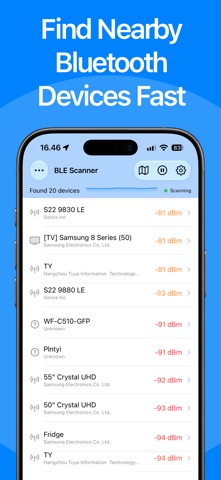
Lost your Bluetooth device? BLE Scanner & Bluetooth Finder instantly scans for nearby Bluetooth devices and helps you locate them. No pairing, no auto-connecting, and no data collection.
Whether it is wireless earbuds, Bluetooth headphones, speakers, smartwatches, fitness bands, or tracking tags, this app helps you find what is missing using real Bluetooth signal strength.
HOW IT WORKS
1. Open the app to start scanning for nearby Bluetooth devices
2. View detected devices sorted by distance using signal strength (RSSI)
3. Filter by proximity, manufacturer, or signal strength to narrow your search
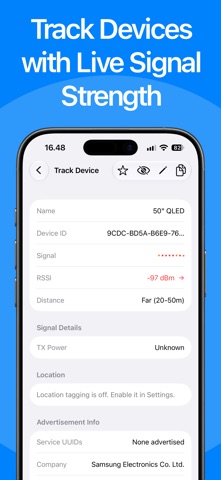
4. Tap a device to enter focused tracking mode with a radar view
5. Watch real-time signal bars and distance as you move closer
6. Save a scan session to keep the results, or open the live map to see your trail and located devices
KEY FEATURES
• Real-time Bluetooth device scanner for nearby BLE devices
• One-tap focused tracking with a radar-style interface
• Filter by proximity, manufacturer, or signal strength
• Signal strength indicator with RSSI-based distance estimates
• GPS location tagging: save where each device was detected and view it on a map
• Live map: see your movement trail alongside located devices
• Scan sessions: save, name, and revisit device lists anytime
• Ignore devices: hide unwanted results to keep your list clean
• CSV export: save and share your results, including latitude, longitude, and accuracy
• Manufacturer detection and detailed advertisement info
• Star favorites and revisit frequently tracked devices
• Hidden camera detection: scan for Bluetooth-enabled cameras in hotels, rentals, and unfamiliar spaces
• Privacy first: no account required, and your data stays on your device
PERFECT FOR
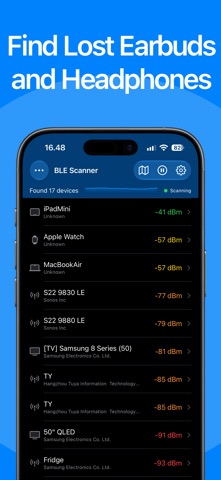
• Finding lost wireless earbuds and headphones
• Locating a misplaced smartwatch or fitness tracker
• Detecting hidden Bluetooth cameras
• Finding tracking tags
• Checking Bluetooth signal coverage in a space
• Exploring what Bluetooth devices are around you
Note: devices must be powered on, advertising, and within range to appear.
Terms of Use: https://www.apple.com/legal/internet-services/itunes/dev/stdeula/