BedrockConnect is your ultimate multiplayer companion for Minecraft Bedrock Edition. Finally connect your PlayStation, Xbox, or Nintendo Switch to any third-party server and enjoy custom texture packs!
PLAY ON ANY SERVER
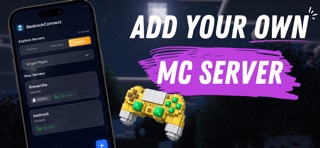
For the first time ever, connect your console to thousands of community servers worldwide. Whether you're on PlayStation, Xbox, or Nintendo Switch - BedrockConnect makes it possible to join servers that were previously PC and mobile only.
No complicated setup. No technical knowledge required. Just connect and play with friends across all platforms.
CUSTOM TEXTURE PACKS ON CONSOLE
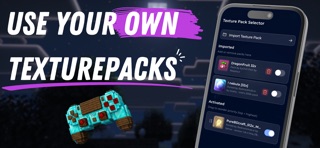
Always wanted to use texture packs on your console? BedrockConnect lets you download and apply custom texture packs on supported servers. Transform your game's look with community-created resource packs - something that was never possible on consoles before!
KEY FEATURES
• Connect PlayStation, Xbox, and Nintendo Switch to any Bedrock server
• Server Browser with live player counts, ping, and version info
• Featured Servers - Discover the best community servers
• Custom Texture Packs on supported servers
• Automatic texture pack updates
• Cross-platform multiplayer made easy
• Simple one-minute setup
HOW TO CONNECT
1. Open BedrockConnect and tap the + button
2. Enter the server IP and port
3. Tap Start - the server appears in your friends list
4. Join from your console and play!
For texture packs:
1. Enable texture packs in settings
2. Select your resource pack
3. Join a supported server
4. The pack downloads automatically!
REQUIREMENTS
• Console and phone must be on the same WiFi network
• Disable VPN and ad blockers for best results
• Premium unlocks all features including ad-free experience
SUPPORT
Join our Discord community at https://discord.bedrockhub.io for help, tips, and to connect with thousands of other players.
Note: Only texture packs with textures, sounds, and particles are supported. Shaders, mods, addons, and skin packs are not compatible.
DISCLAIMER
BedrockConnect is an independent third-party application created by the community. It is NOT affiliated with, endorsed by, or connected to Mojang, Microsoft, Sony, or Nintendo in any way. All trademarks belong to their respective owners.
Terms of Service: https://bedrockconnect.app/tos
Privacy Policy: https://bedrockconnect.app/privacy