One photo is all it takes.
Clear a blemish, smooth your skin, erase wrinkles, add makeup, change your hair color, swap the background entirely. No hopping between apps — BeautyTune does all of it.
■ Why BeautyTune
· Your photos never leave your phone. Every edit — even AI work like wrinkle and object removal — runs on your iPhone, so nothing gets uploaded to a server. It all works in airplane mode.
· No banner ads, no full-screen interruptions. Nothing breaks your flow while you edit.
· Most of it is free. Blemish removal, skin smoothing, eyes and teeth, skin tone, filters, text, and mosaic cost nothing.
· Retouching that knows when to stop. Skin keeps its texture, lipstick keeps its true shade, and hair never blows out to white.
· Mistakes are cheap. Undo step by step, or save your session and come back to it later.
■ Face and skin
· Blemish removal — tap a spot and it blends into the surrounding skin.
· Skin smoothing — smooth, with real texture kept intact. Never waxy.
· Wrinkle removal — AI finds nasolabial folds, forehead lines, crow's feet, frown lines, and the under-eye area and marks them. Pick only the areas you want, and use the intensity slider to decide how much to smooth away.
· Eyes and teeth — clear the whites, whiten teeth, soften dark circles.
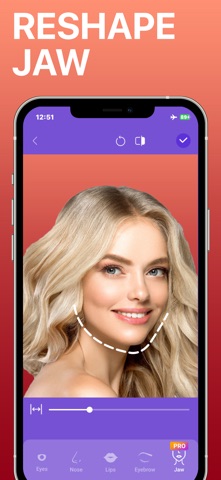
· Reshape — fine adjustments to eyes, nose, lips, brows, and jawline, plus a smile that lifts the corners of your mouth and your eyes together.
· Skin tone — shift your overall tone warmer or cooler.
■ Makeup and hair
· Foundation — an even base across the face.
· Blush — adds a soft flush to the apples of your cheeks.
· Lipstick — pick a shade, then a finish: Natural, Gloss, or Matte.
· Brows — pick a shade, then a finish: Natural, Powder, or Pencil.
· Eyeshadow — lays one of 15 shades across your eyelids.
· Eyeliner — draws along your own lash line in one of 10 shades.
· Hair color — recognizes hair precisely and colors only that.
· Hair shine — adds a natural gloss to your hair.
■ Backgrounds
· Blur, solid color, gradient, photo, or mosaic — change it however you like.
· Separate the subject from the background and treat each one differently.
· Save your own gradient combinations as presets.
■ Finishing touches
· Filters and adjustments — fine control over brightness, contrast, saturation, and warmth. You can also split the subject from the background and adjust each separately.
· Text — add words in any font, color, background, and alignment.
· Mosaic and blur — brush over just what you want hidden, with either mosaic or blur.
■ Continue editing
Save a session and pick it up later, exactly where you left off. Your undo history comes back with it.
■ BeautyTune Pro
· Save at original quality, with no logo
· AI object removal — paint over what you want gone and the background fills itself in
· AI wrinkle removal — smooths away the wrinkles it finds, naturally
· Hair color, brow color and finishes, jawline and smile reshaping
· Every premium background
Cancel anytime.
Terms of Use: https://www.apple.com/legal/internet-services/itunes/dev/stdeula/
Privacy Policy: https://potatopiegames.blogspot.com/2025/01/privacy-policy-for-beautytune.html