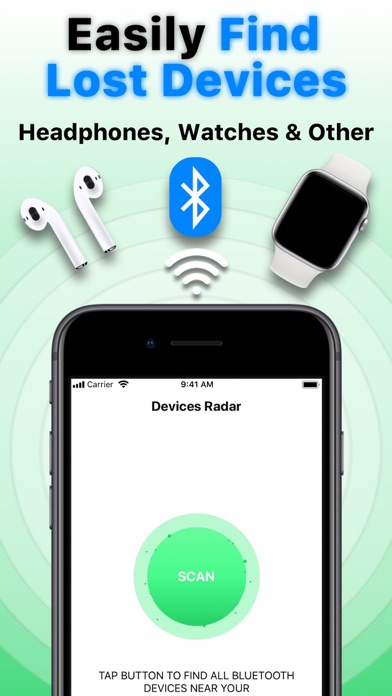
Lost your AirPods, Headphones, Smart Watch, Bracelet, Fitness Tracker, or other Bluetooth devices? Don’t worry! Using the “Air Find“ app, you can find your lost Bluetooth devices quickly and easily!
Main Functions:
– Devices Radar – Scan the area to find all Bluetooth devices near you.
– Device Tracker – Look at the percentage scale (%), the higher the percentage, the closer you are to the device.
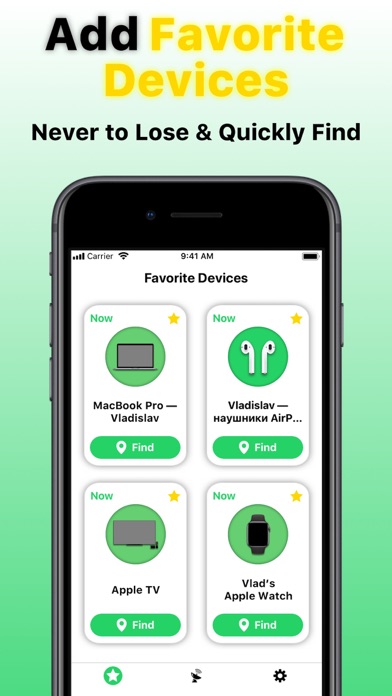
– Favorite Devices – Add your favorite devices not to lose them again and quickly find in case of lost;
– Play Sound – Find your AirPods by sending sound to them.
Supported Devices:
– Apple devices;
– Portable speakers;
– Wireless headphones;
– Smart watches, bracelets and fitness trackers;
– other Bluetooth devices.
Easy to Use “Air Find“:
– Turn on Bluetooth on the device on which the app is installed and allow “Air Find“ app access to it;
– Open the “Air Find“ app;
– Click the “Scan” button to find Bluetooth devices near you;
– Select one of the devices you want to find and click the “Find” button;
– Move around and look at percentage (%) - the higher the percentage, the closer you are to the device (100% is the maximum percentage);
– To find AirPods, use the additional function - “Play Sound“, with which you can find your AirPods even faster and easier by sending a loud sound to it.
“Air Find“ Can't Find Your Device?
– Make sure Bluetooth is turned on on the device on which the app is installed;
– The device you are looking for should not be completely discharged;
– The device you are looking for must be within the range of the Bluetooth signal;
– If you want to find AirPods, make sure that the case is open or at least 1 of the AirPods is outside of the case.
Premium Subscription Info:
With a premium subscription, you get premium (full, unlimited) access to all the features offered by “Air Find“ app.
Premium Access Includes:
– Unlimited Scans;
– Unlock Distance;
– Unlock Device Finder;
– Play Sound to Find Headphones;
– Add Your Favorite Devices.
* Note: Free version of the app is limited to 2 scans only. Any other functionality unlocks after subscription.
The app contains the following auto-renewable subscription:
– Weekly ($2,99) with a 3-days for free period
* Subscription price may vary depending on your location.
* Payment will be charged to iTunes Account at confirmation of purchase;
* Subscription automatically renews unless auto-renew is turned off at least 24-hours before the end of the current period;
* Account will be charged for renewal within 24-hours prior to the end of the current period, and identify the cost of the renewal;
* Subscriptions may be managed by the user and auto-renewal may be turned off by going to the user's Account;
* Any unused portion of a free trial period, if offered, will be forfeited when the user purchases a subscription to that publication, where applicable.
Privacy Policy: https://sites.google.com/view/air-find-privacy/
Terms of Use: https://sites.google.com/view/air-find-terms/
Apple and AirPods are trademarks of Apple Inc., registered in the U.S. and other countries.
Requested Access:
Bluetooth - to find all Bluetooth devices near you.