Snap it. Log it. Remember it.
Snapto is a lightweight expense tracker built for iPhone.
If you want to keep track of your spending but hate entering every amount, category, and note by hand, Snapto makes the process much easier.
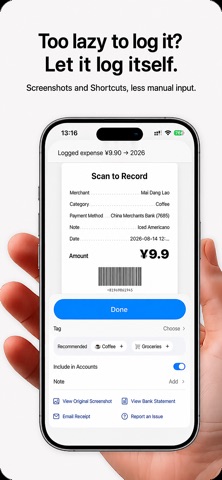
Take a photo of something you just bought, use a payment screenshot, or trigger a shortcut to create an expense with fewer steps.
But Snapto is not only about knowing how much you spent.
It also helps you remember:
What did that money actually buy?
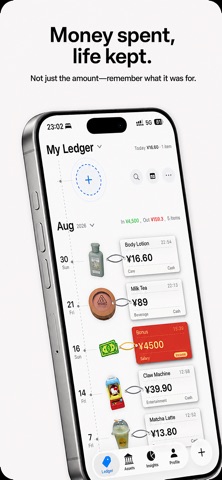
With object cutouts, visual expense timelines, and receipt-style details, everyday purchases can become part of your financial record.
Months later, instead of seeing only “Food · $6.50,” you may remember the coffee you had that afternoon, the snack you picked up on the way home, or something you bought while traveling.
Expense tracking can be more than a list of numbers.
Faster expense tracking
Use photos, screenshots, and Shortcuts to record everyday expenses with less manual input.
Smart Rules can automatically organize transactions based on merchants, amounts, transaction types, and other conditions, helping reduce repetitive categorization over time.
See what your money became
Snapto can detect and cut out the main object in a photo, turning real purchases into visual stickers inside your expense records.
Combined with the visual timeline and receipt-style details, your spending becomes easier to understand and much easier to remember.
Make your tracker your own
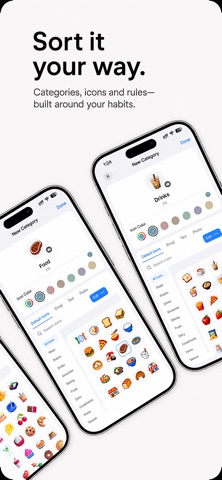
Customize categories and icons to match the way you actually spend.
You can also personalize receipt layouts, visual styles, ledgers, and other details, so your expense tracker feels like your own instead of a rigid template.
Budget, assets, savings, and more
Snapto includes the tools you need for everyday personal finance management:
• Budget tracking
• Asset and liability management
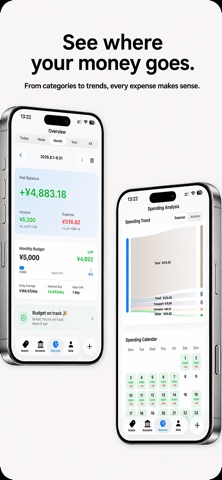
• Income and expense statistics
• Spending trends and cash flow
• Savings goals
• Multiple ledgers
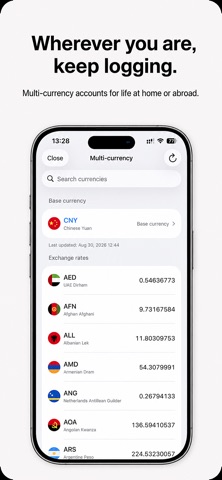
• Multi-currency tracking
• Refund and reimbursement records
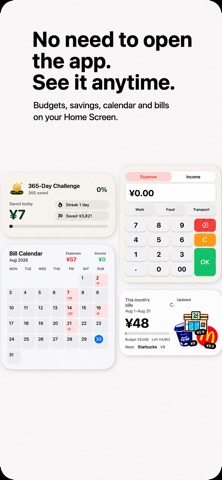
• Expense calendar
• Home Screen and Lock Screen widgets
• Bill imports from supported payment platforms
Whether you only want to understand where your money went this month or build better long-term spending habits, you can start with a single expense.
No ads. Just your finances.
Snapto is designed to stay clean and focused.
There are no ads getting in the way when you open the app to check or record an expense.
Your financial records should remain yours, which is why Snapto is built around privacy-focused features and iCloud sync.
Why “Snapto”?
Because expense tracking should be simple enough to fit into everyday life.
See something. Snap it.
Finish a payment. Save the screenshot.
Need to log an expense? Use fewer steps.
Tracking spending already requires consistency. The app itself should not make that harder.
Snapto is independently designed and developed, with a focus on making personal finance tracking faster, more visual, and more enjoyable to use.
The goal is not just to help you count money.
It is also to help you look back and remember:
Those expenses were part of your life, too.
Privacy Policy:
https://www.notion.so/2cb4b93732bc8030b0b2e0f4f07037cc?source=copy_link
Terms of Use (EULA):
https://www.apple.com/legal/internet-services/itunes/dev/stdeula/