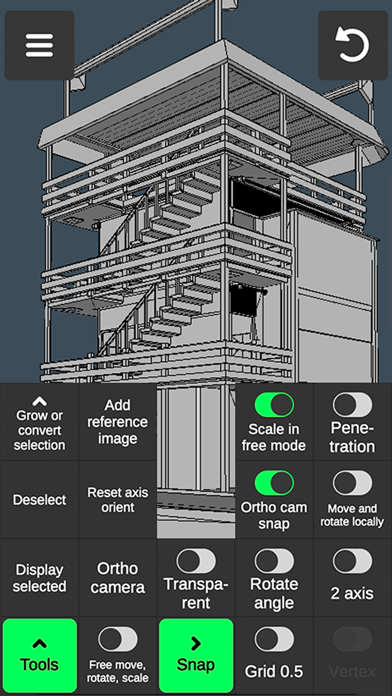
3D Modeling App lets you easily design 3D content on the go using gestures on iPhone or iPad. No need to use the Apple Pencil, but you can, if you want to.
Tons of features:
1. Fast workflow:
- Move, Rotate, Scale objects and camera by gestures switching between them on the go.
- Easily multi-select Vertices, Edges, Faces and Objects by long tap or frame draw.
2. Vertex tools: Merge (Target merge, Collapse Edges, Collapse Faces), Connect, Create face by vertices.
3. Edge tools: Draw cut by single swipe or by set point by point, Cut loop (create new edge-loops), Select loop (also by double tap), Extrude, Delete, Select ring, Create face by border edge (fill the hole).
4. Face tools: Extrude, Draw face by set points, Detach, Clone, Select shell, Reverse, Delete.
5. Object tools: Combine, Separate, Clone, Mirror, Smooth, Divide, Soft/hard normals.
6. Sculpting tools: Move, Screen, Push, Pull, Smooth. You can adjust brush size and strength.
7. Colouring tools:
- Paint textures.
- Edit texture placement using UV editor.
- Vertex color painting.
8. Display tools:
- Grid with settable size and snapping value.
- Display info: Triangles count, Distance between vertices, Edge length.
- Wireframe on shaded on/off.
- Shadows on/off.
- Axis on/off.
9. 20 materials can be applied to your objects.
10. Additional tools:
- Orthographic camera.
- Set Move, Rotate and Scale precise values.
- Display selected (Isolate selection).
- Grow selection and convert selection.
- Move Vertices, Edges, Faces and Objects freely without grid snap.
- Snap.
- Auto-save.
11. Export & import .obj files.
12. Video tutorial for every tool.
Terms of use: https://www.apple.com/legal/internet-services/itunes/dev/stdeula/